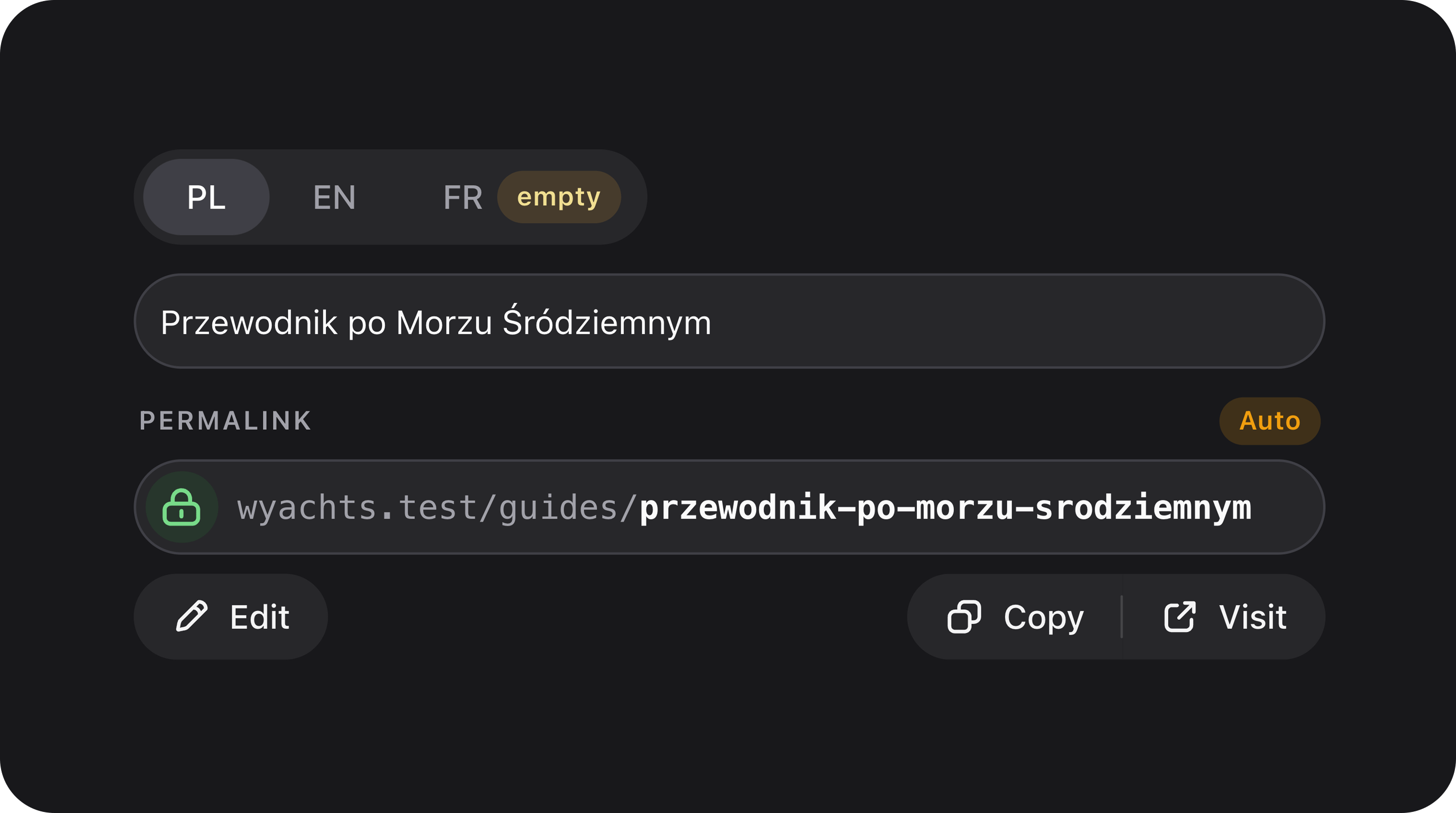
Summary
Locale-aware schema layout built on SegmentTabs (iOS-style segmented tabs, same visual language as SegmentControl). Clones one or more field templates into per-locale tabs with automatic state paths, JSON hydration, and optional Spatielaravel-translatable support.
Designed as a first-party, extensible alternative to third-party translatable tab packages — with explicit extension points (localeFieldUsing, storageAttributeUsing, tab/field modifiers) and no external plugin dependency.
| Class | Bjanczak\FilamentFlexFields\Filament\Schemas\Components\TranslatableFields |
| Extends | SegmentTabs |
| Legacy alias | TranslatableTabs (drop-in namespace swap from abdulmajeed-jamaan/filament-translatable-tabs) |
| Field macro | Field::translatableFields() / Field::translatableTabs() |
| Component type | Schema / layout (not a form field) |
| Form state | Dot paths per locale: title.ar, title.en, … |
| DB storage | JSON / array column: {"ar":"…","en":"…"} or Spatie translatable attribute |
Not the same as TitleSlugField translations. TitleSlugField provides a narrower use case: translatable titles with a single shared slug and slug-source-locale sync. Use TranslatableFields for any generic translatable attribute (body, excerpt, metadata, …).
Basic usage — standalone component
Register field templates with->schema(). Each template is cloned once per locale tab.
title.ar / title.en (and body.ar / body.en) into nested arrays on the model. On edit, values are hydrated from JSON columns automatically.
Basic usage — field macro
Wrap a single field in locale tabs without declaringTranslatableFields explicitly. The macro returns the TranslatableFields component (replace the field in your schema with the return value).
Macro with inline modifiers
| Macro parameter | Type | Description |
|---|---|---|
$locales | array|Closure|null | Locale codes or locale => label map. null = read from config. |
$modifyTabsUsing | Closure(TranslatableTab, string $locale): void|null | Applied to each locale tab after build. |
$modifyFieldsUsing | Closure(Field, string $locale): void|null | Applied to each cloned field after build. |
Legacy aliases
For projects migrating fromabdulmajeed-jamaan/filament-translatable-tabs:
| Preferred method | Migration alias |
|---|---|
directionByLocale() | addDirectionByLocale() |
emptyBadgeWhenAllFieldsAreEmpty() | addEmptyBadgeWhenAllFieldsAreEmpty() |
activeTabWithValue() | addSetActiveTabThatHasValue() |
Single field vs multiple fields
Single field
One template field → one input per locale tab. Ideal for titles, names, short strings.Multiple fields (group)
Several templates share the same locale tabs — all fields in a tab belong to that locale.Locales configuration
Locales can be supplied inline, split across codes and labels, or read from config.Inline map (locale => label)
List of codes + separate labels
en → EN).
From config (omit ->locales())
translatable.locales is unset, the resolver falls back to slug.translatable_locales.
Both locales() and localesLabels() accept Closure for dynamic resolution (e.g. tenant-specific languages).
Production presets
Bundled helpers for common production UX. Combine individually or use the bundle.withRecommendedDefaults(?string $emptyBadgeLabel = null)
Applies all three presets below. Pass a custom empty-badge label or rely on config (translatable.empty_badge_label, default 'empty').
borderedPanels(bool $condition = true)
Adds class fff-translatable-fields--bordered so the active tab panel renders inside a bordered card (rounded-xl, padding). Off by default — fields sit flush under the locale tabs. Use when you want a contained content area (e.g. multi-field groups in a Section).
directionByLocale()
Sets dir="rtl" on fields for RTL locales. Default list from config:
ar (e.g. ar-SA) are also treated as RTL.
emptyBadgeWhenAllFieldsAreEmpty(?string $emptyLabel = null)
Shows a warning badge on locale tabs where all schema fields are empty. Useful on edit forms to spot untranslated locales.
->live() so badges update as the user types.
activeTabWithValue()
On mount, selects the first locale tab that has at least one non-empty field. Falls back to tab 1 when all tabs are empty.
Storage — JSON / array (no Spatie)
Recommended minimum setup. Works out of the box with Filament’s nested state merging.| Layer | Shape |
|---|---|
| Form state paths | title.pl, title.en, body.pl, … |
| Persisted attribute | {"pl":"Tytuł","en":"Title"} per column |
TranslatableHydrator reads the JSON/array attribute and fills each locale field when its state is empty.
Storage — Spatie laravel-translatable (optional)
| Behaviour | Detail |
|---|---|
| Without Spatie installed | spatieTranslatable(true) is an intent flag; JSON/array hydration still works. |
| On edit | When the record uses HasTranslations, each field hydrates via getTranslation($attribute, $locale, false). |
| On save | With spatieTranslatable(true), empty strings dehydrate to null per locale (trimmed). Spatie JSON-encodes translatable attributes. |
| Package dependency | Spatie is optional — not required by this package. |
Advanced customization
localeFieldUsing(Closure $callback)
Replace the default field-cloning strategy. Return a custom Field instance or null to fall back to the default clone.
$template, $locale, $tab.
storageAttributeUsing(Closure $callback)
Override the Eloquent attribute used for hydration (default: template field name).
modifyTabsUsing(Closure $closure, bool $merge = true)
Run callbacks against each TranslatableTab after build. $merge = false replaces all previous tab modifiers.
modifyFieldsUsing(Closure $closure, bool $merge = true)
Run callbacks against each cloned field. $merge = false replaces all previous field modifiers.
directionByLocale() and emptyBadgeWhenAllFieldsAreEmpty() are implemented as stacked modifyTabsUsing / modifyFieldsUsing callbacks.
Custom tab badges
Beyond the empty-badge preset,TranslatableTab (extends SegmentTab) supports Filament badge APIs:
State paths and nested attributes
TranslatableAttributePath resolves form paths from template field names and optional custom statePath():
| Template | Locale | Form state path |
|---|---|---|
FlexTextInput::make('title') | en | title.en |
FlexTextInput::make('title')->statePath('metadata.title') | en | metadata.title.en |
name (title), not the full state path.
Custom configuration API
schema(array|Closure $fields)
One or more Field instances used as templates. Only Field subclasses are supported — other schema components will throw at build time.
locales(array|Closure $locales)
Locale codes as a list (['ar', 'en']) or map (['ar' => 'Arabic', 'en' => 'English']).
localesLabels(array|Closure $localeLabels)
Labels keyed by locale code. Used when locales() is a plain list.
spatieTranslatable(bool|Closure $condition = true)
Marks fields for Spatie-aware dehydration and documents intent. Hydration auto-detects HasTranslations on the record when the package is installed.
localeFieldUsing(Closure $callback) / storageAttributeUsing(Closure $callback)
See Advanced customization.
modifyTabsUsing(Closure $closure, bool $merge = true) / modifyFieldsUsing(Closure $closure, bool $merge = true)
See Advanced customization.
directionByLocale() / emptyBadgeWhenAllFieldsAreEmpty(?string $emptyLabel = null) / activeTabWithValue() / withRecommendedDefaults(?string $emptyBadgeLabel = null) / borderedPanels(bool $condition = true)
See Production presets.
Inherited SegmentTabs API
TranslatableFields extends SegmentTabs. Defaults differ: separators are off (separators(false) in setUp()), CSS class fff-translatable-fields is applied, and tab panels are flat (no border/padding). Use borderedPanels() for a card-style panel. Multiple fields in one tab get vertical spacing only (mt-4 between field wrappers).
| Method | Description |
|---|---|
activeTab(int|Closure $activeTab) | 1-based index of the selected tab. activeTabWithValue() sets a dynamic closure. |
persistTabInQueryString(string|Closure|null $key = 'segment-tab') | Persist selected tab in the URL query string. |
variant(string|Closure $variant) | default (filled track) or ghost. Default: default. |
color(string|Closure|null $color) | Selection accent; ghost variant defaults to primary. |
separators(bool|Closure $condition = true) | Vertical dividers between segments. Default for TranslatableFields: false. |
fullWidth(bool|Closure $condition = true) | Stretch tabs to full container width. |
iconOnly(bool|Closure $condition = true) | Hide tab labels; show icons only. |
expandSelectedLabel(bool|Closure $condition = true) | Animate selected tab to wider width. |
size(string|ControlSize|Closure $size) | See Control size. |
Global defaults
TranslatableFields::configureUsing()
Filament-native global defaults (same pattern as other Filament components):
boot() method. Every TranslatableFields::make() (including macro-created instances) receives these defaults.
Config file
| Config key | Used by |
|---|---|
translatable.locales | Default locales when ->locales() is omitted |
translatable.locale_labels | Tab labels for list-style locale codes |
translatable.empty_badge_label | emptyBadgeWhenAllFieldsAreEmpty() default label |
translatable.rtl_locales | directionByLocale() RTL detection |
slug.translatable_locales | Fallback when translatable.locales is null |
Architecture overview
Internal services keep the component thin and testable:| Class / concern | Responsibility |
|---|---|
TranslatableAttributePath | Resolves relative state paths (metadata.title.en) and storage attribute names |
TranslatableHydrator | Hydrates locale fields from JSON columns or Spatie getTranslation() |
TranslatableFieldFactory | Clones template fields into per-locale instances (or delegates to localeFieldUsing) |
TranslatableTabFactory | Builds TranslatableTab instances from locale list + templates |
TranslatableTabState | Evaluates tab field values for empty badges and active-tab selection |
TranslatableLocales | Resolves locale codes and labels from inline config or config() |
SpatieTranslatableIntegration | Detects HasTranslations on the edited record |
TranslatableFieldBuilder | Backwards-compatible facade delegating to the services above |
TranslatableFields concerns | Locales, schema templates, modifiers, presets, migration aliases |
TranslatableFields/Concerns/):
| Concern | Methods |
|---|---|
ConfiguresTranslatableLocales | locales(), localesLabels(), getLocales() |
CustomizesTranslatableComponents | schema(), modifyTabsUsing(), modifyFieldsUsing(), spatieTranslatable(), localeFieldUsing(), storageAttributeUsing() |
BuildsTranslatableTabs | buildTranslatableTabs(), child-schema modifier application |
ProvidesTranslatablePresets | directionByLocale(), emptyBadgeWhenAllFieldsAreEmpty(), activeTabWithValue(), withRecommendedDefaults(), borderedPanels() |
HasTranslatableMigrationAliases | addDirectionByLocale(), addEmptyBadgeWhenAllFieldsAreEmpty(), addSetActiveTabThatHasValue() |
Relationship to TitleSlugField
TranslatableFields | TitleSlugField translatable titles | |
|---|---|---|
| Purpose | Any translatable attribute(s) | Title + single shared slug |
| Slug | Not involved | One slug; only slugSourceLocale drives auto-sync |
| Component | Standalone schema / field macro | FusedGroup factory; title tabs use TranslatableFields |
| Locale config | translatable.* config + ->locales() | slug.translatable_locales + translatableLocales param |
| Shared internals | Full architecture above | Same TranslatableFields + TranslatableHydrator for title tabs |
| Extra config | Direct fluent API | translatableFieldsConfigurator + titleLocaleConfigurator |
| Empty tab badges | Opt-in via emptyBadgeWhenAllFieldsAreEmpty() | On by default for title locale tabs |
| Default active tab | activeTabWithValue() in withRecommendedDefaults() | slugSourceLocale tab |