Summary
Styled Filament file upload with security defaults, MIME presets, upload summaries, optional metadata sidecars, image optimization hooks, scoped per-user directories, and opt-in webcam capture / URL import tabs (v2.6.1).| FlexFileUpload | Bjanczak\FilamentFlexFields\Filament\Forms\Components\FlexFileUpload |
| FlexImageUpload | Bjanczak\FilamentFlexFields\Filament\Forms\Components\FlexImageUpload (extends FlexFileUpload, imagesOnly() preset) |
| State type | string|array|null — stored path(s) on disk |
| FieldType | file → FlexFileUpload, image → FlexImageUpload |
| Extends | Filament\Forms\Components\FileUpload |
Basic usage
Avatar (image)
Single document
Multiple files with total size guard
Metadata sidecar
Stores original filename, MIME, size, and image dimensions in a sibling state path:Webcam & URL import
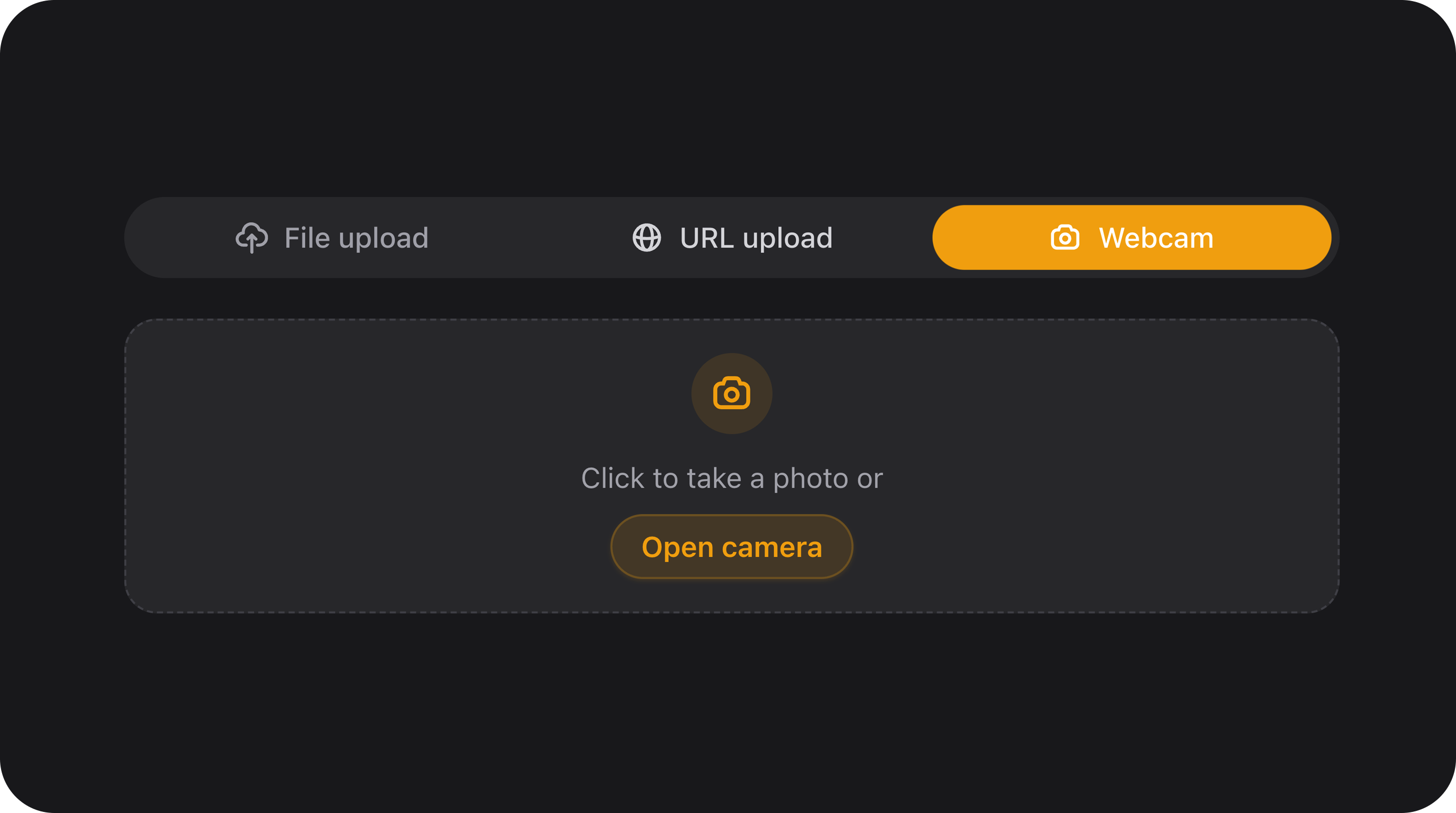
You can extend the default upload dropzone with additional input methods. The following example adds both a camera capture tab and a remote URL import tab:Configuration API
withRecommendedDefaults() / applyRecommendedSecurityDefaults()
Applies recommended security and UX defaults: createFormStrategy(), deleteFileOnRemove(), deleteReplacedFiles(), maxSize(5120) (5 MB), downloadable(), openable(), and focusOutline().
documentsOnly()
Sets the accepted file types to typical document formats (PDF, Word, Excel, PowerPoint, Text, etc.).
imagesOnly()
Sets the accepted file types to image formats (JPEG, PNG, GIF, WebP, SVG, etc.).
spreadsheetsOnly()
Sets the accepted file types to spreadsheets (CSV, XLS, XLSX).
allowedExtensions(array $extensions)
Restricts uploads to a custom array of file extensions.
rejectExecutableFiles(bool|Closure $condition = true)
Blocks dangerous executable extensions (such as .php, .sh, .bat, etc.) and raises a validation error.
scopedDirectory(string|Closure $prefix = 'uploads')
Configures dynamic per-user scoped subdirectories: {prefix}/{user_id}/....
allowWebcamUpload(bool|Closure $condition = true)
Adds a new “Camera” tab to the upload component, allowing users to directly capture photos using their device’s native camera. It supports dynamic front/back camera toggling (environment vs user facing), torch/flash control (if supported by hardware), and gives the user a chance to review/retake the photo before injecting it into the queue.
Note: Since it uses the navigator.mediaDevices.getUserMedia browser API, this feature requires a secure context (HTTPS) to function correctly. It perfectly integrates with imagesOnly() and Filament’s optimizeImages() configurations.
allowUrlUpload(bool|Closure $condition = true)
Adds a new “URL” tab to the upload component, allowing users to paste a direct link to a file. The file is fetched server-side, validated against SSRF rules (localhost, private IPs, and metadata hostnames are rejected), staged as a temporary preview, then injected into the FilePond queue as a native File. Nothing is written to the field disk until form save.
Security: URL import is disabled unless you call allowUrlUpload(). Unsafe URLs are blocked before any server fetch runs.
createFormStrategy(bool|Closure $condition = true)
Prevents file path tampering by deferring disk storage until form submission.
storeMetadataIn(string|Closure $statePath)
Saves uploaded file metadata (original filename, MIME type, file size, image dimensions) to a separate database column or state path.
maxTotalSizeKb(int|Closure $kilobytes)
Sets a maximum total file size limit in kilobytes across all uploaded files (useful for multiple file uploads).
remainingSlotsLabel(bool|Closure $condition = true)
Displays a remaining slots label (e.g. “2 slots remaining”) when maxFiles is set.
minImageDimensions(int $width, int $height)
Validates that uploaded images meet minimum width and height constraints.
maxImageDimensions(int $width, int $height)
Validates that uploaded images do not exceed maximum width and height constraints.
deleteFileOnRemove(bool|Closure $condition = true)
Deletes files from storage when they are removed from the form UI.
deleteReplacedFiles(bool|Closure $condition = true)
Deletes old files from storage when they are replaced by new uploads.
pruneOrphanedOnSave(bool|Closure $condition = true)
Removes old, unreferenced files from the upload directory when saving the model.
Warning Do not use this with a shared staticdirectory()(e.g.,->directory('gallery')). This method deletes ALL files in the specified directory that do not belong to the current record. Using it on a shared directory will cause you to lose files from other records! You must use this method in combination with->scopedDirectory()or a closure that provides a unique directory per record.
uploadSummary(bool|Closure $condition = true)
Displays a summary block below the file list containing count and total file size.
emptyStateHint(string|Closure $hint)
Sets a custom hint text displayed inside the dropzone when it is empty.
dropzoneLabel(string|Closure $label)
Overrides the main dropzone label text.
requireReplaceConfirmation(bool|Closure $condition = true)
Asks the user for confirmation before replacing an already uploaded file.
compactList(bool|Closure $condition = true)
Renders a denser, more compact layout for the uploaded files list.
showFileIcon(bool|Closure $condition = true)
Displays a descriptive file type icon in the uploaded files list.
variant(string|Closure $variant)
Sets the visual design variant (primary, secondary, or flat).
optimizeImages(bool|Closure $condition = true)
Resizes and compresses images to optimize page weight (requires GD or Imagick).
optimizeImagesToWebp(bool|Closure $condition = false)
Converts optimized image files to the WebP format.
maxImageWidth(int|Closure $width) / maxImageHeight(int|Closure $height)
Sets maximum image width and height boundaries for client-side resizing.
stripExif(bool|Closure $condition = true)
Strips EXIF metadata from uploaded images on save.
Inherited Filament FileUpload API
disk(), directory(), visibility(), multiple(), maxFiles(), minFiles(), maxSize(), acceptedFileTypes(), imageEditor(), avatar(), downloadable(), openable(), previewable(), deletable(), standard validation — all work unchanged.
FlexField schema config
| Config key | Maps to |
|---|---|
disk | disk() |
directory | directory() |
visibility | visibility() |
multiple | multiple() |
max_size_kb / max_size | maxSize() |
max_files / min_files | maxFiles() / minFiles() |
max_total_size_kb | maxTotalSizeKb() |
accepted_types | acceptedFileTypes() |
documents_only | documentsOnly() |
images_only | imagesOnly() |
variant | variant() |
size | size() |
store_metadata_in | storeMetadataIn() |
scoped_directory | scopedDirectory() |
optimize_images | optimizeImages() |
max_image_width / max_image_height | maxImageWidth() / maxImageHeight() |
allow_webcam_upload | allowWebcamUpload() |
allow_url_upload | allowUrlUpload() |
Security
| Concern | Behaviour |
|---|---|
| Executable uploads | rejectExecutableFiles() blocks dangerous extensions (.php, .sh, …). |
| URL import SSRF | Server-side fetch rejects localhost, loopback, private/link-local IPs, .local / .internal hostnames, and cloud metadata endpoints before download. |
| Webcam capture | Requires HTTPS (getUserMedia secure context). Not offered for documentsOnly() uploads. |
| Deferred disk writes | createFormStrategy() (included in withRecommendedDefaults()) prevents path tampering until form save. |
CSS classes
| Class | Meaning |
|---|---|
fff-flex-file-upload | Root wrapper |
fff-flex-file-upload--{primary|secondary|flat} | Variant |
fff-flex-file-upload--{sm|md|lg} | Size |
Implementation notes
- Requires Livewire temporary uploads; configure
FILESYSTEM_DISKand disk credentials. - Webcam capture requires HTTPS. URL import rejects unsafe remote URLs before server fetch.
- Playground examples under File upload in Flex Fields Playground (File / Camera / URL tabs).
- For Spatie Media Library integration, see package
FlexSpatieMediaLibraryFileUpload(if installed in app).